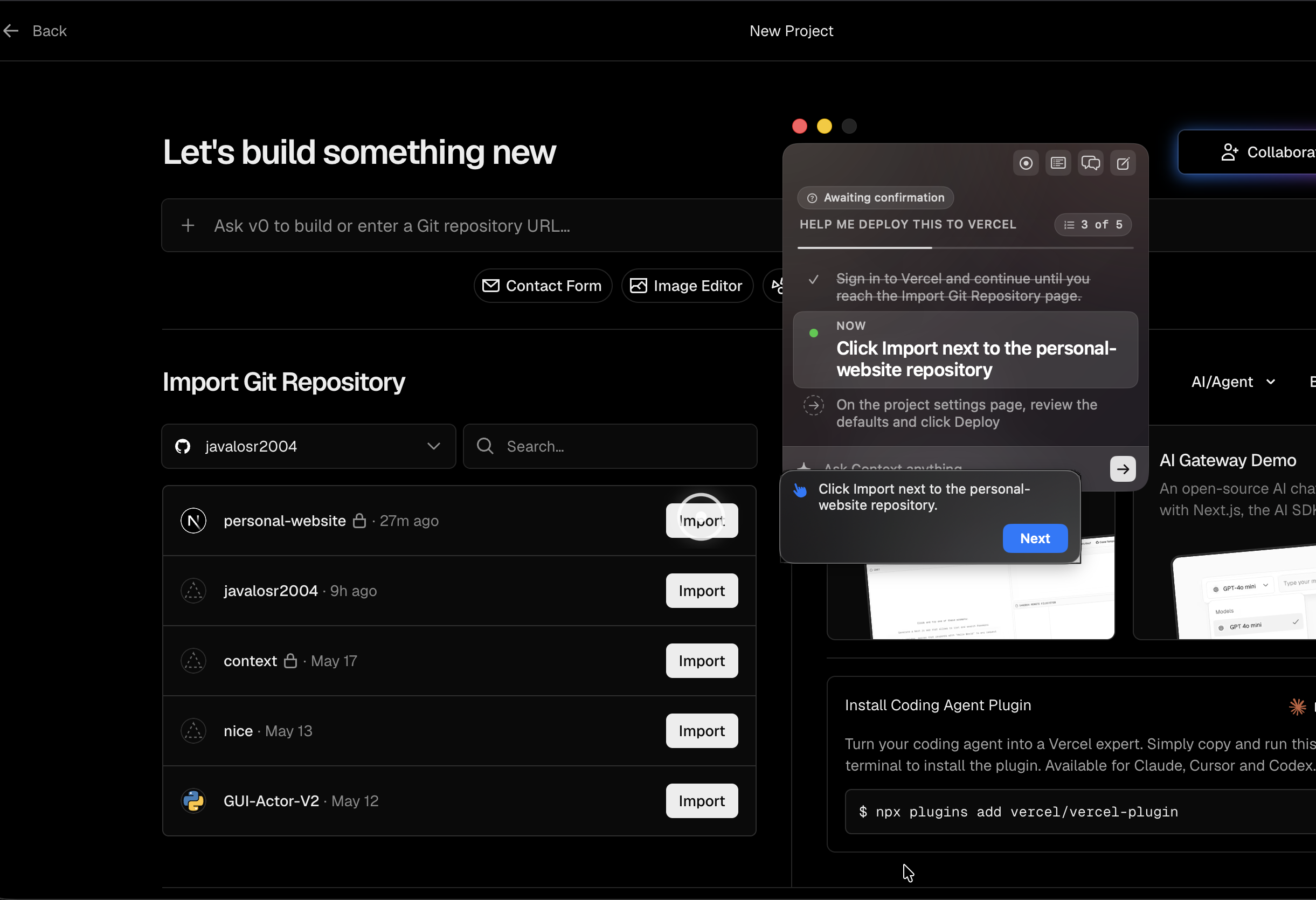
context is a macos teaching tool, not an automation agent. give it almost anything — a screen recording, a video, a doc — and it turns that into a live tutorial drawn right on top of your real apps.
it shows you one step at a time, dims everything except the thing you need to click, and waits for you to do it before moving on. it watches the screen to keep up with you, but it never takes over — you stay in control the whole way through.
the loop
- give it context — point it at a recording, a video, or a doc — whatever shows how the task is done.
- it makes a plan — it reads your screen and lays out the steps to get you to your goal.
- it guides you — one step at a time, it highlights what to click and waits for you to do it.
- it keeps up — it watches the screen and adjusts the steps if you go off track — without ever clicking for you.
highlights
- a live overlay, not a video — the guide is drawn on top of your real apps, dimming everything except the next thing to click.
- you stay in control — every step waits for you. it suggests, highlights, and confirms — it never takes over the machine.
- no waiting on it — the steps stream in as they're ready, so the overlay fills in right away instead of making you wait.
- it reads the screen like you do — it works off what's actually on screen, so it isn't tied to one app's internals.
- anything can be the source — a recording, a video, or a doc all become the same thing: a step-by-step overlay.
future work
- enrichment layer — let even more kinds of context teach a tutorial — pulling steps from web pages and full videos, not just recordings.
- sharper targeting — more ways to know exactly what to point at, so the highlights land on the right spot every time.
- easy sharing — open a tutorial in the browser with no install, and automatically hide passwords and other private info before anything is saved.